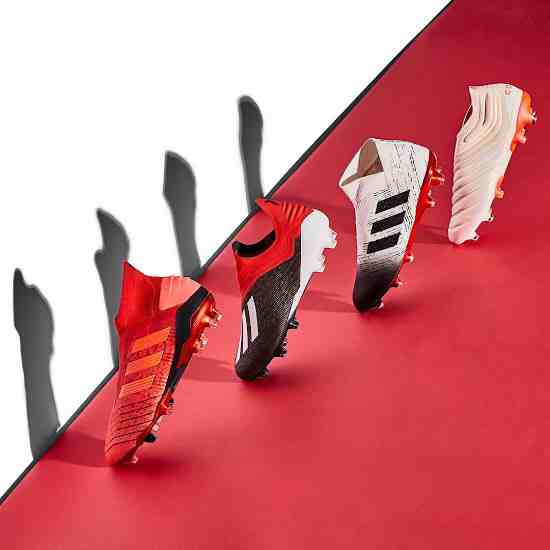
Features:
º 100 full hd textures for pes17
Added more amount of adidas cup
Last Pack of all brands
º more assignments
º igualada the amount of boots in all pes
New brands
HOW TO INSTALL
• Download file & Extract them using WinRAR.
• Copy the CPK file to the download folder where your PES game is installed.
• Generally found in > "C:\Program Files (x86)\User\XxX\PRO EVOLUTION SOCCER 2017\2018\2019\download".
• Then generate the DpFileList.bin file with DpFileList Generator by Baris (Put this CPK into the Last Checked).
• Play & Enjoy the Game!
– Extract the archive and copy “PUMA POWER BY LPE09.cpk” to:
\Steam\Steamapps\Common\Pro Evolution Soccer 2017, 2018 or 2019\download\
– Open and select DLC in DpFileList Generator (by Baris or MjTs)
– Add .cpk as last checked, generate new DpFileList.
Install:
– Extract the archive with winrar or 7zip and copy .cpk file to:
\Steam\Steamapps\Common\Pro Evolution Soccer 2017 2018 or 2019\download\
– Select DLC in DpFileList Generator
– Add .cpk as last checked, generate new DpFileList.
– Extract the archive with winrar and copy “INIATOR PACK BY LPE09.cpk” file to:
Steam\Steamapps\Common\Pro Evolution Soccer 2017 2018 or 2019 \download\
– Open and select DLC in DpFileList Generator
– Add .cpk as last checked, generate new DpFileList.
Install Instructions:
– Extract the archive with winrar and copy .cpk file to:
\Steam\Steamapps\Common\Pro Evolution Soccer 2017 , 2018 or 2019\download\
– Open and select DLC in DpFileList Generator
– Add .cpk as last checked, generate new DpFileList.
- Updated boots collection 2018/2019
- Works with latest datapack of PES 2018
- Works with all patches
Installation :
1. Extract the file with WinRAR,
2. Copy .CPK file to your PES 2018 DOWNLOAD folder.
C:\Program Files(x86)\Steam\Steamapps\Common\PRO EVOLUTION SOCCER 2018\download\
3. Generate with PES 2018 DpFileList Generator.
4. Done